

Website Audit for UI and UX

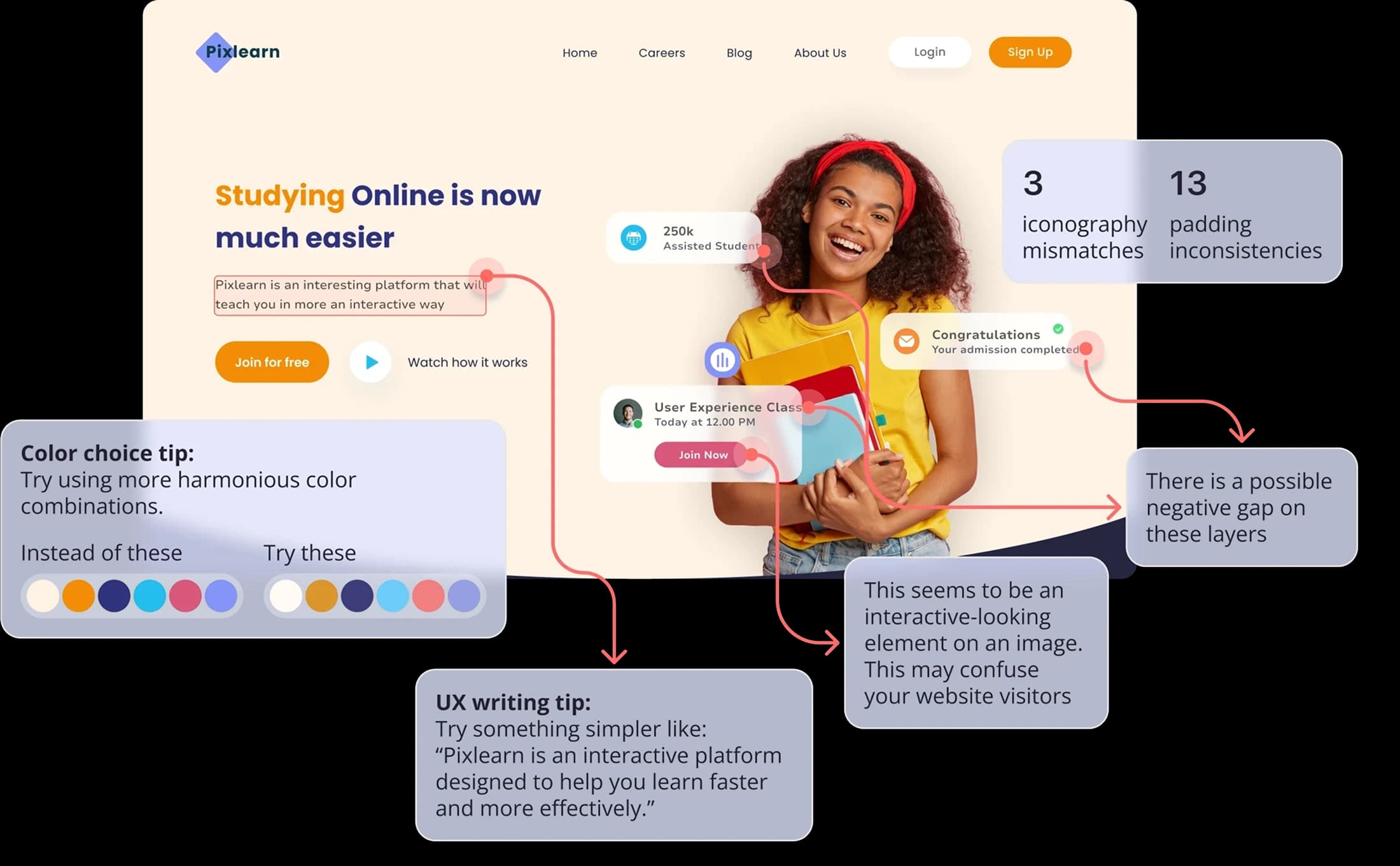
Your website is often the first interaction users have with your product. A website audit helps you understand what works, what breaks the experience, and what
silently pushes users away. Pixelait focuses on UI and UX website audits based on real screenshots, not assumptions.
We analyze your website visuals the same way a real user sees them and turn issues into clear, actionable tasks.
Audit My WebsiteWhat Is a Website Audit?
A website audit is a structured review of your website interface and user experience. It focuses on visual clarity, usability, accessibility, and consistency across pages.
With Pixelait, a website audit means:
 Uploading real website screenshots
 Analyzing UI patterns & UX flows
 Getting problem–solution insights per screen
 Receiving outputs ready for your backlog
What Pixelait Checks During a Website Audit

UI Clarity
 Text readability and font usageSpacing and layout balanceVisual hierarchy and focus points
UX Logic
Navigation clarityUser flow consistency across pagesRepetitive or conflicting patternsAccessibility Basics
Color contrast issuesButton and text visibilityBasic usability blockersConsistency Across Pages
Design pattern reuseComponent behavior logicAlignment between screens in the same flowHow Pixelait Website Audit Works
1
Open UI Auditor and upload your first screenshotStart by uploading one or multiple screenshots from your website.
3
Get instant feedback for each screenReceive clear, actionable UI feedback for every screenshot.
2
Create your project and add all your screensThe first project is created automatically. Add all the screenshots from your website into that project.
4
Export a detailed project reportDownload a full report with insights and recommendations for the entire project.
Each project usually supports up to 30 screenshots,
allowing the audit to reflect the real website journey.
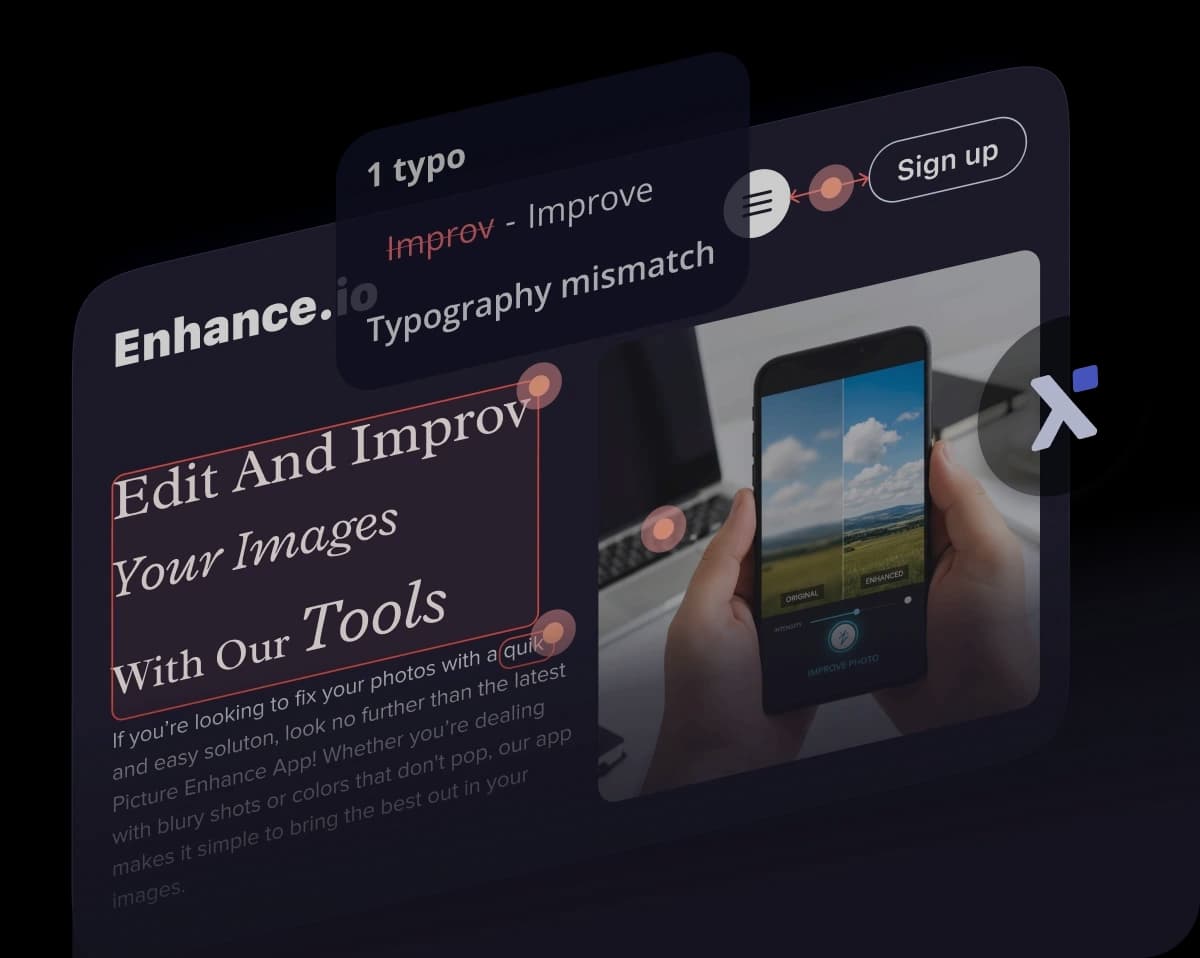
What You Get After the Audit
Clear UI and UX issues per pageSuggested fixes written in simple languageReports that can be copied directly into Jira, Linear, or NotionA shared understanding between product, design, and engineeringWho Website Audit Is For

Product managers reviewing existing websites

Startups before growth or marketing push

Teams without a full-time UX expert

Founders validating usability assumptions

Designers needing a second opinion
 Using Pixelait is like having a senior UI expert that can audit your interface, instantly, 24/7
Why Pixelait for Website Audit?
 Works on real screenshots, not URLs
 Understands multi-page logic inside one project
 Does not repeat the same issue across screens
 Turns feedback into backlog-ready tasks
 Saves time on manual reviews
Start Your Website Audit
You can start with a free audit and analyze one website screenshot.
Upgrade to Pro to audit up to 300 images, with full reports and project-level logic understanding.


Trusted by thousands of professionals from


